Shinkansen Live: Scan Your Ticket, Get a Live Activity
Today I’m releasing my latest iOS app: Shinkansen Live or 新幹線ライブ in Japanese.
Shinkansen Live on the App Store

The concept is simple: you scan your Shinkansen ticket or receipt and you can see the details of your trip in a Live Activity on your lock screen and Dynamic Island.
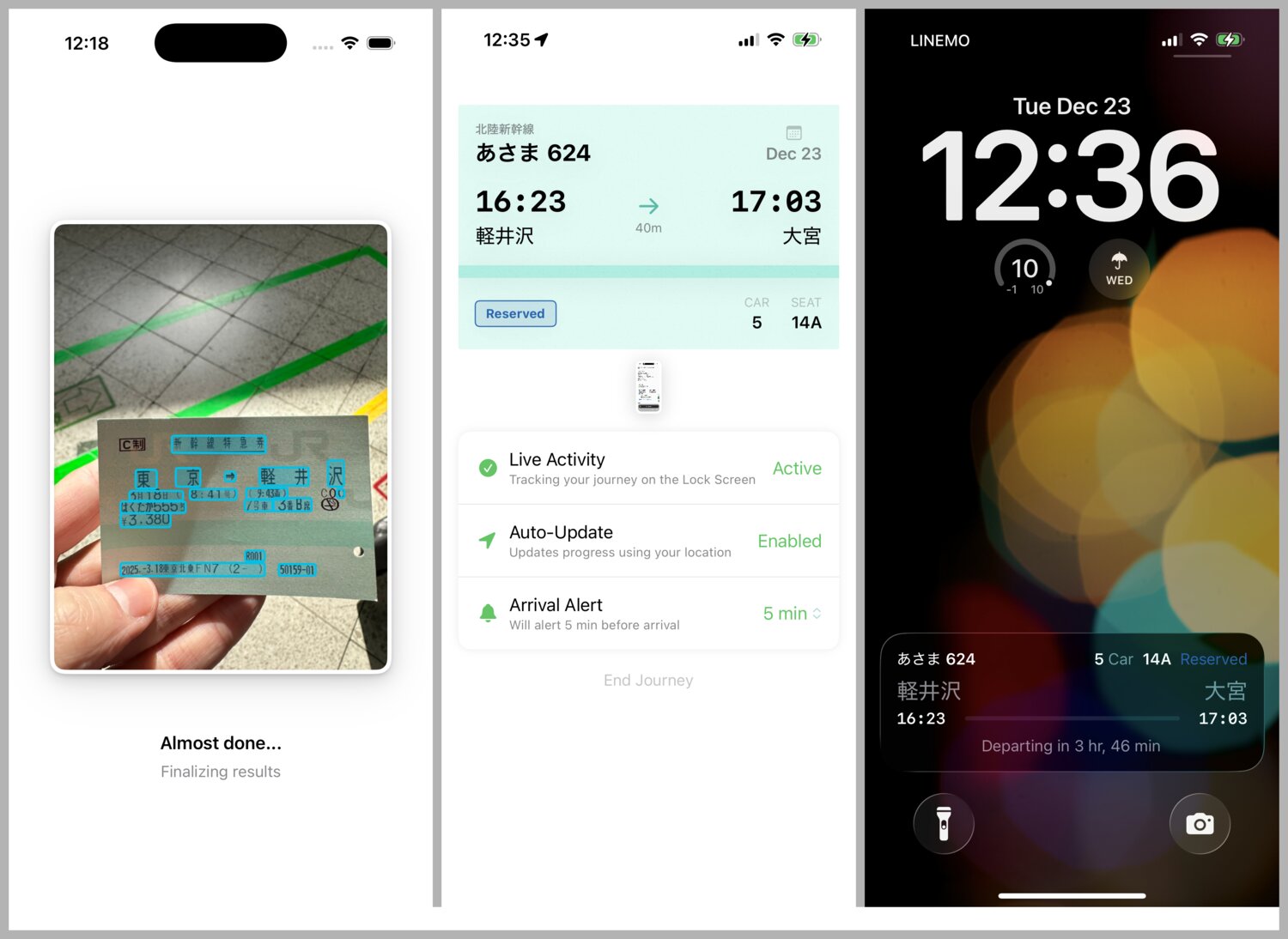
Here’s a quick screen capture of the main flow:
Motivation
I took a quick Shinkansen trip from Omiya (north Tokyo) to Karuizawa (Nagano) last week to do some co-working with my friends Jens and David. I had pre-purchased a reserved seat with the Eki-net, JR-East’s Shinkansen app (on iOS, it’s a web app wrapper). Similar to when I have a physical ticket (but somehow worse?) I found myself opening the app repeatedly to check my ticket’s listed attributes for:
- departure time: in the 30 minutes or so lead up, before I’d entered the gates.
- train number: to cross reference and check the platform I should leave from.
- car number: when it was time to ascend to the platform and look for where on the platform I should line up.
- seat number: when the train pulled up and I was boarding.
Both of my train apps Eki Bright and Eki Live have Live Activities support that I use frequently. I only ride the Shinkansen a few times a year, but while riding up to Karuizawa that day, I wondered, couldn’t I just OCR the Shinkansen ticket info from screenshot and stuff it into a Live Activity?
And so as soon as I arrived at Sawamura Roastery in Karuizawa, I got to work on prototyping a new app. My goal was to have a prototype by the ride home. With some extra polish it ended up taking a few more days of work.

Features
The structure of the app is essentially a landing screen, a processing screen, and a trip-in-progress screen. The Live Activity requires its own multiple states and layouts of UI. For polish, I needed an error screen, an about screen, and a screen explaining what ticket formats are accepted.
Supported input formats
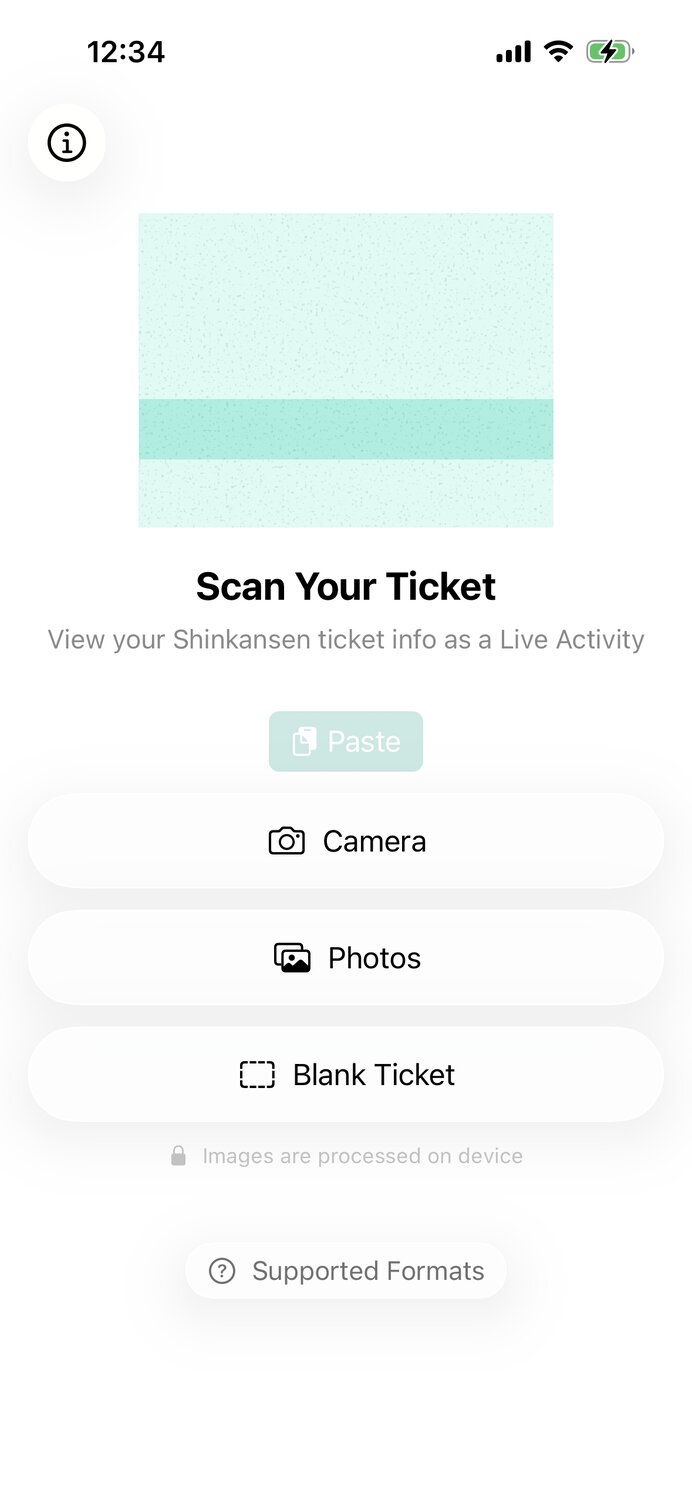
My initial scope was just handling screenshots from Eki-net (JR-East’s app) and SmartEX (JR-Central’s app), and in retrospect this probably would have better line to draw in the sand for version 1. However, I added support for scanning physical tickets too since the app seemed like it would be too specialized without physical tickets, probably the majority use-case.
And so, you can scan your physical ticket with the camera, choose a screenshot from the Photo Library, paste an image from the system pasteboard, or create an empty ticket if you want.
OCR and parsing
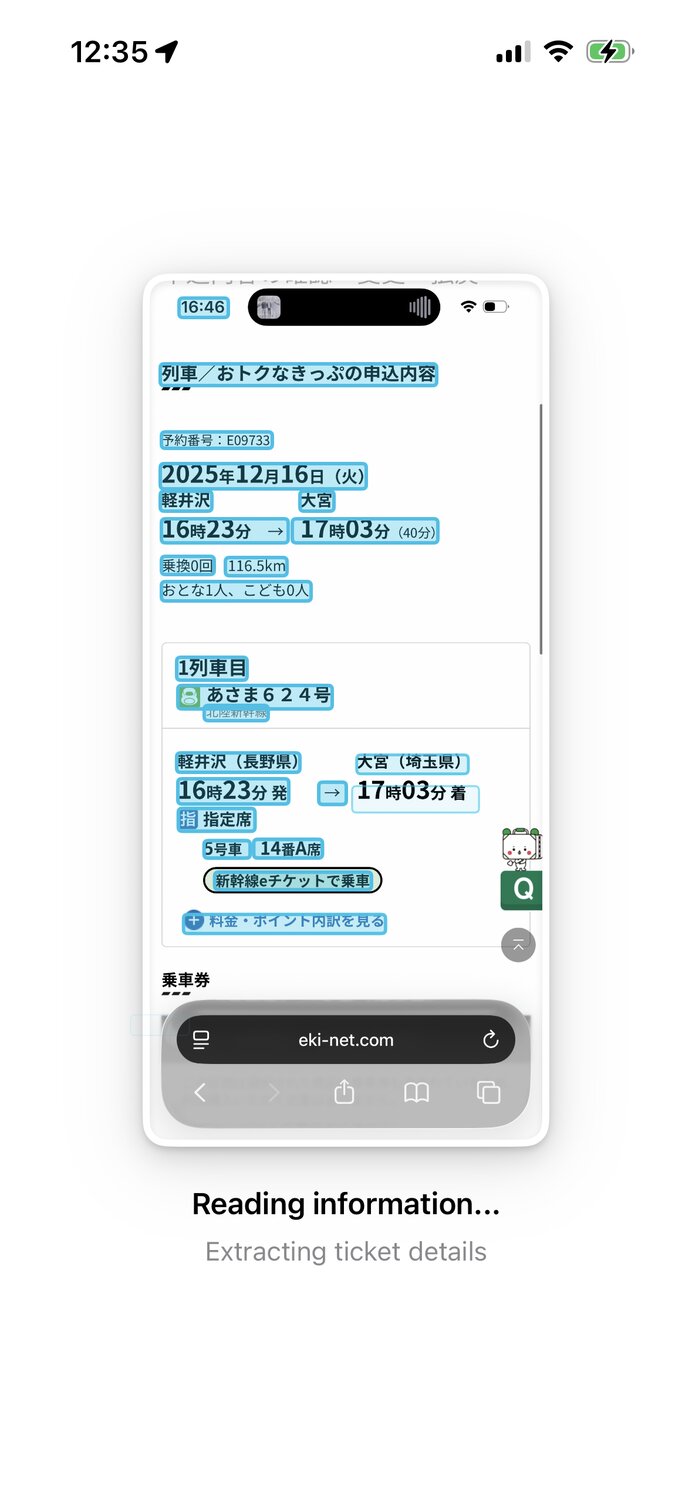
As of version 1.0, the app uses on device VisionKit to recognize text in the image and custom algorithm to do error recovery and parse out the relevant attributes from the ticket. I’ll discuss the development aspects of this decision in a future post, but for now, I’ll say that the merits of using OCR over multi-modal LLMs are that OCR is very fast, maintains privacy, and is accurate enough for a V1.
Trip in-progress
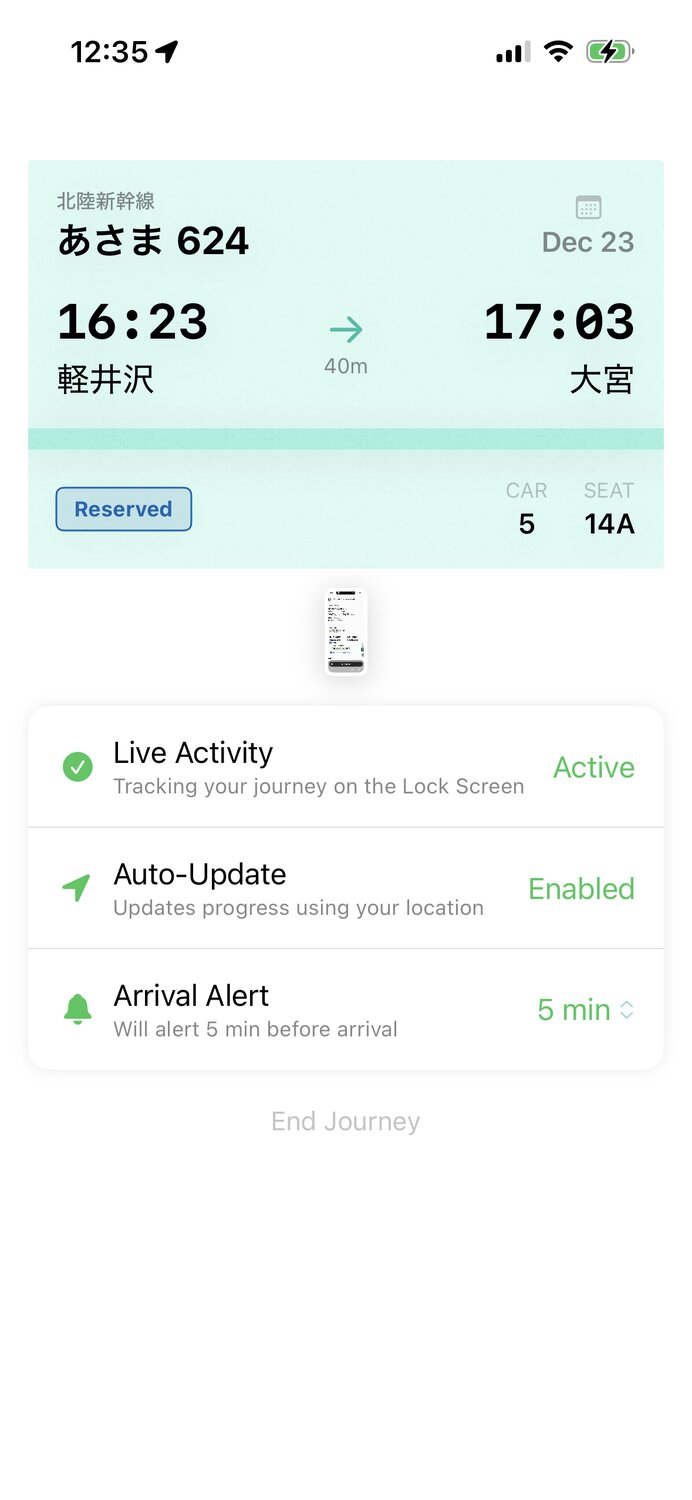
Once the ticket is scanned and parsed, you land on the trip screen for the remainder of your journey.
I recreated a facsimile of the legendary Shinkansen ticket. While doing research into ticket formats, it was surprising to see how different the information layouts are depending on where and by what means they are purchased, but the aesthetic is generally the same.
For the case of physical tickets, parsing is imperfect, so I wanted to ensure users could recover from minor errors like a missing time or train number. Therefore, all fields are user editable by tapping.
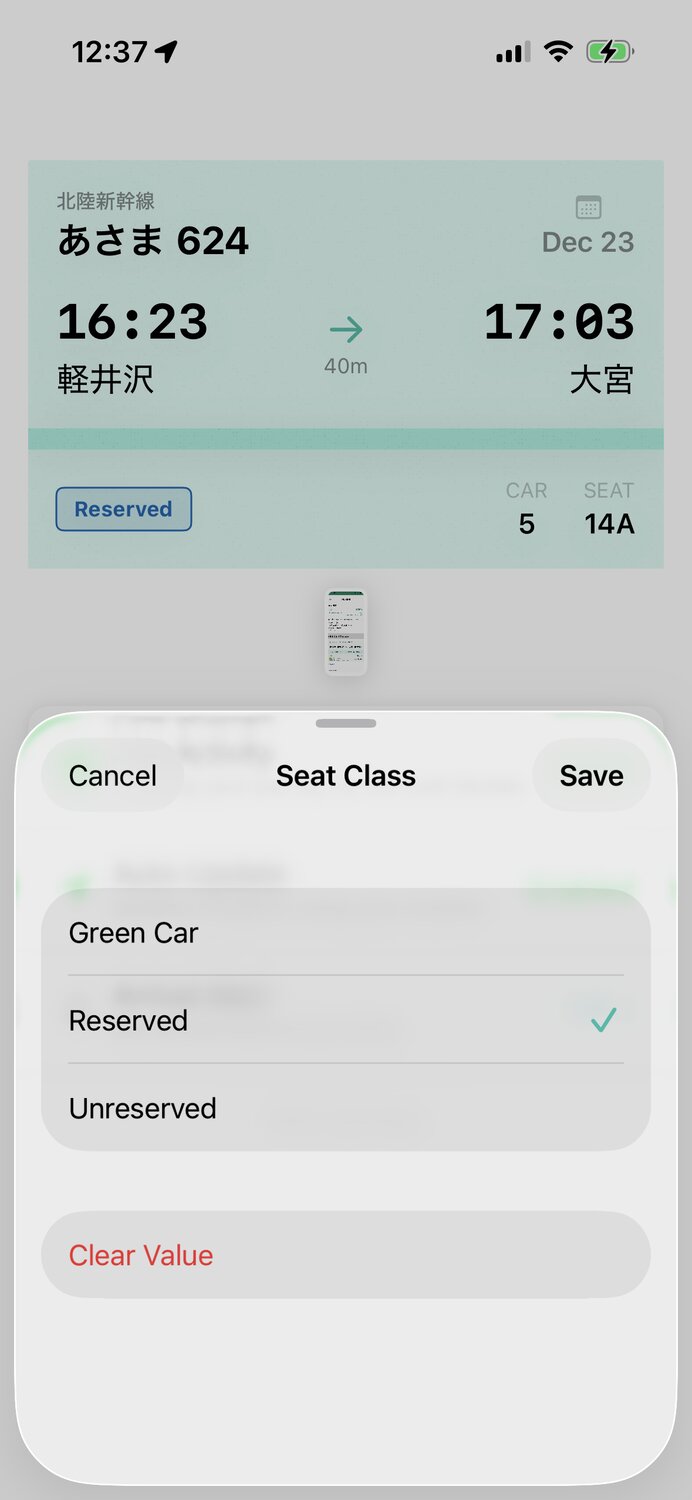
I also include the input image that a user can reference in an expanded view. This makes it easier to double check values and fix mistakes.
Live Activity
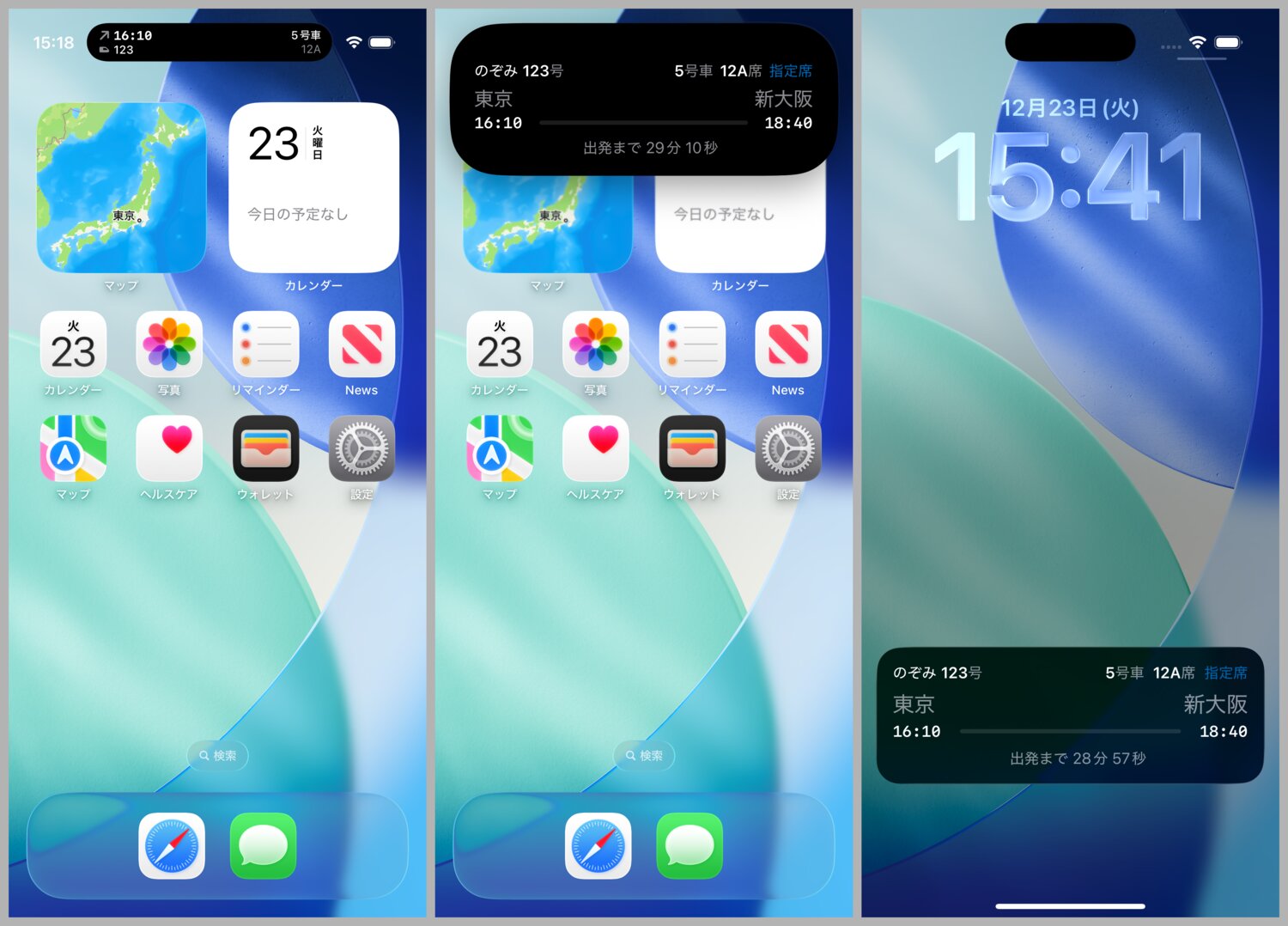
Finally, the whole point of all this is to have a functional Live Activity. The Live Activity has a before and during layout. Before departure we show the departure time, train number, car number, and seat number (for reserved seats). During the trip, we show the arrival station and time.
Due to a technical limitation with Live Activities, I use Location Services to monitor for significant location changes in the background, and use that to wake up the app and update the Live Activity when the departure time has passed. On the technical side, this means I don’t need to run a push notification server or do any other networking from the app.
Arrival alarm
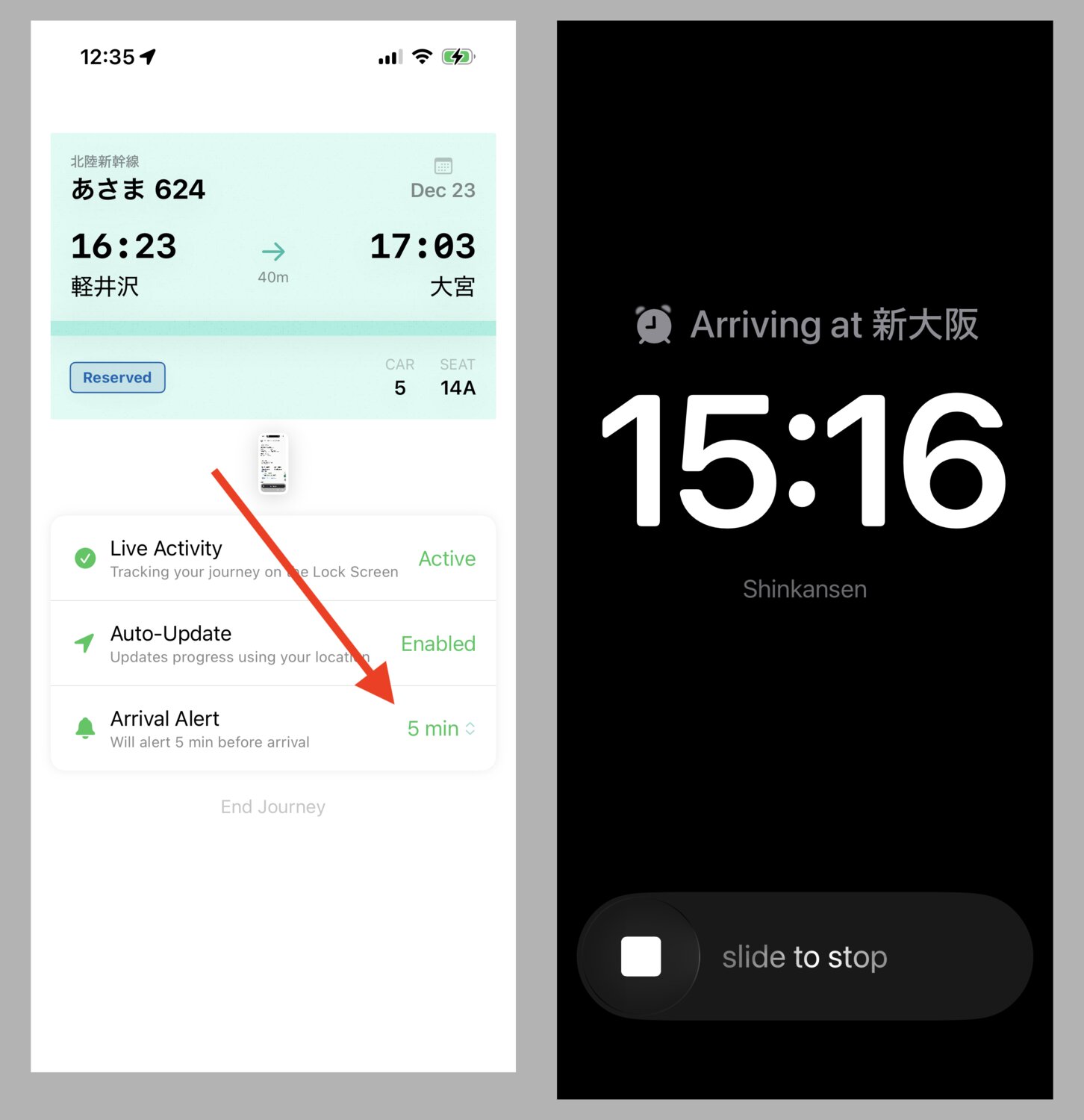
I’m a chronic sufferer of a disease called Scope Creep (this is a joke), so I couldn’t help but add an optional arrival alarm feature. This feature uses the new iOS 26 AlarmKit framework.
Animations and transitions
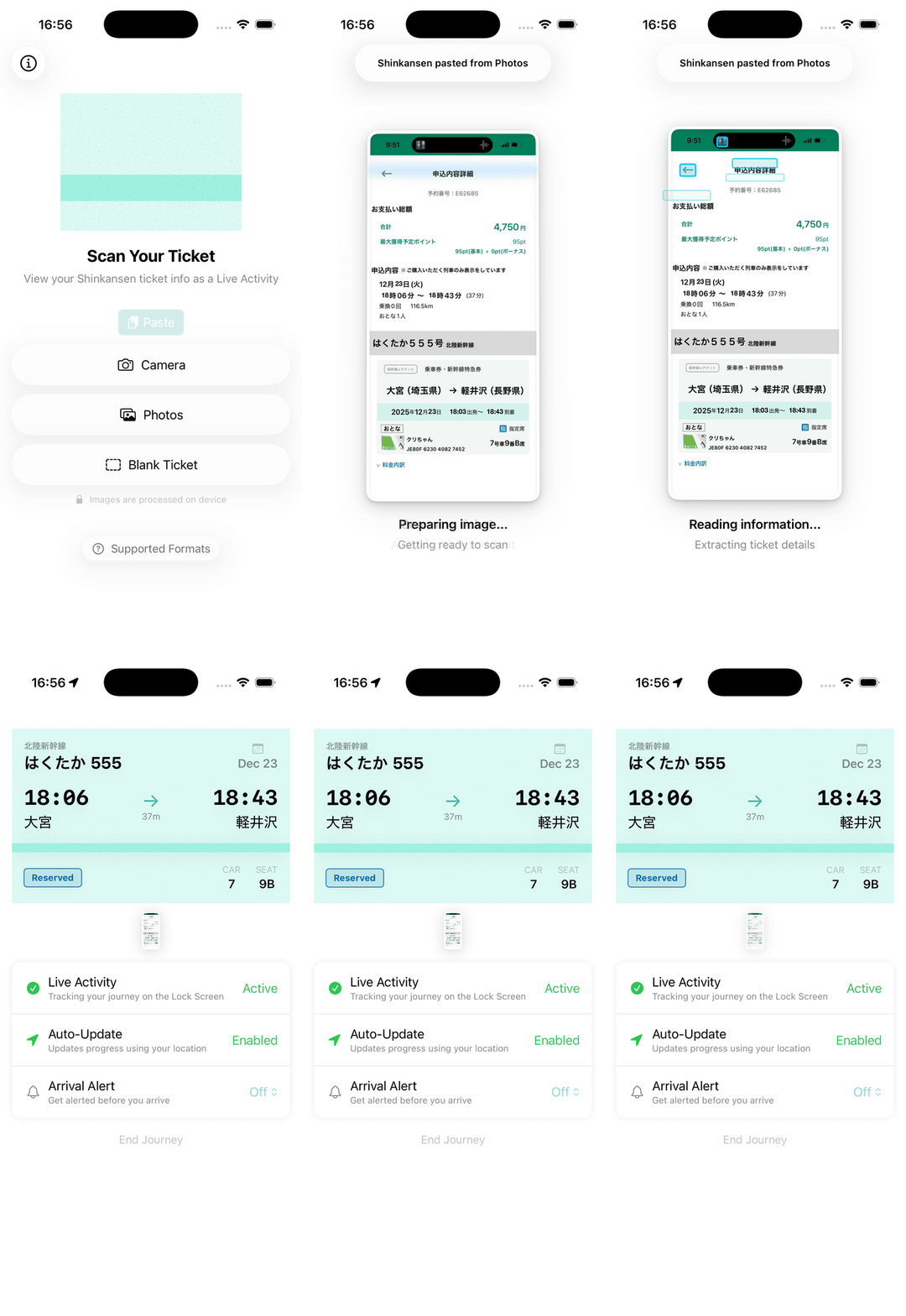
I spent a unreasonable amount of time working on the animations and transitions for this app. Since there’s comparatively not a lot of screens or unique transitions to handle, it felt like a good opportunity to push the limits and make the upload experience more delightful. After all, there’s not a ton of benefit to cost when you consider needing to download an app, and then screenshot or photo your ticket in order to get that slight benefit of not needing to unlock your phone or take your ticket out of your pocket. Hopefully some fun animations add to the motivations to get over that mental hump.

Outlook
Shinkansen Live is free on v1.0 release. I have no idea whether the App Store listing will get views, whether the listing will convert to downloads, whether the idea will resonate with people to try, and whether any one-time users will keep the app on their devices and remember to use it. I don’t use the Shinkansen enough to estimate this well.
Regardless, I’m glad the app exists now. I hope it saves at least a few people that little extra friction in an otherwise smooth Shinkansen journey.