Introducing Eki Bright 2.0
Eki Bright 2.0 is available today.
Eki Bright is the fastest way to access station timetables for the Tokyo metropolitan area.
Download Eki Bright on the App Store
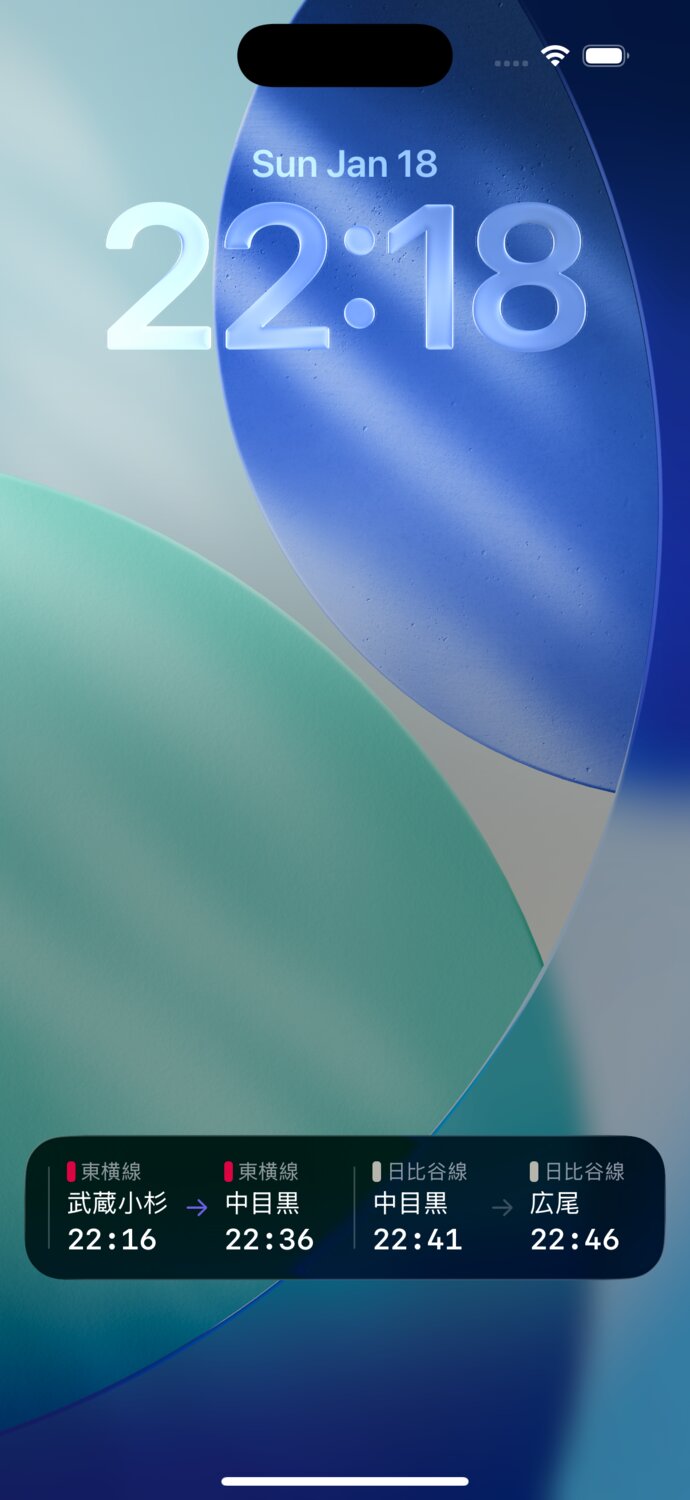
The original design for the Eki Bright app evolved out of the initial use case of configuring Widgets, but steadily grew to support searching, nearby stations, DIY routing, and Live Activities.
For Eki Bright 2.0, the goal was to optimize the app for how I’d actually been using it and how its users had told me they use it.
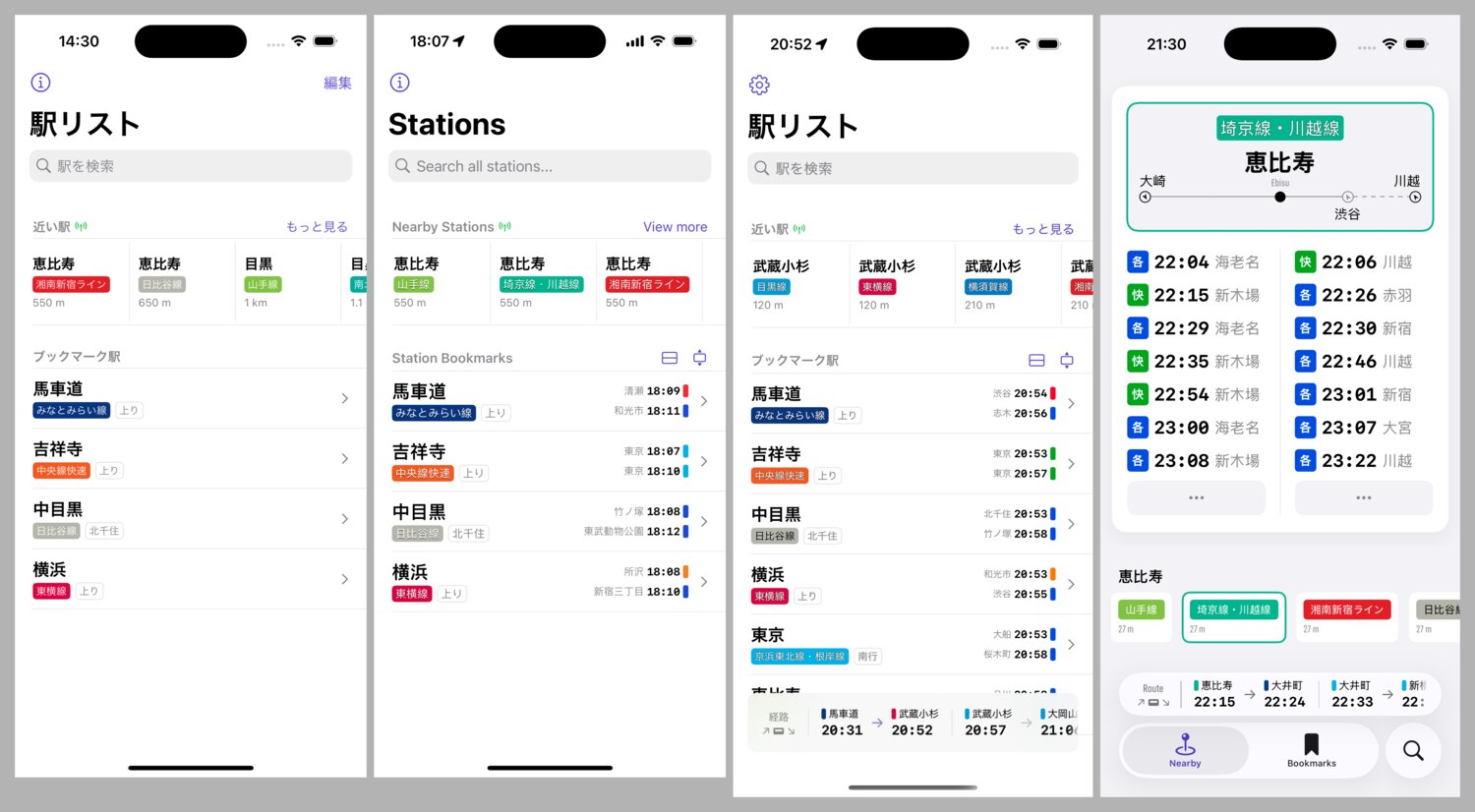
The main focus is now nearby stations, which I found to be 95% of my usage over the year since its first release. In many cases, you’ll see the exact station timetable you want in less than a second after opening the app. Other nearby stations are a quick scroll at your resting thumb position, and order based on view history and distance from your current location.
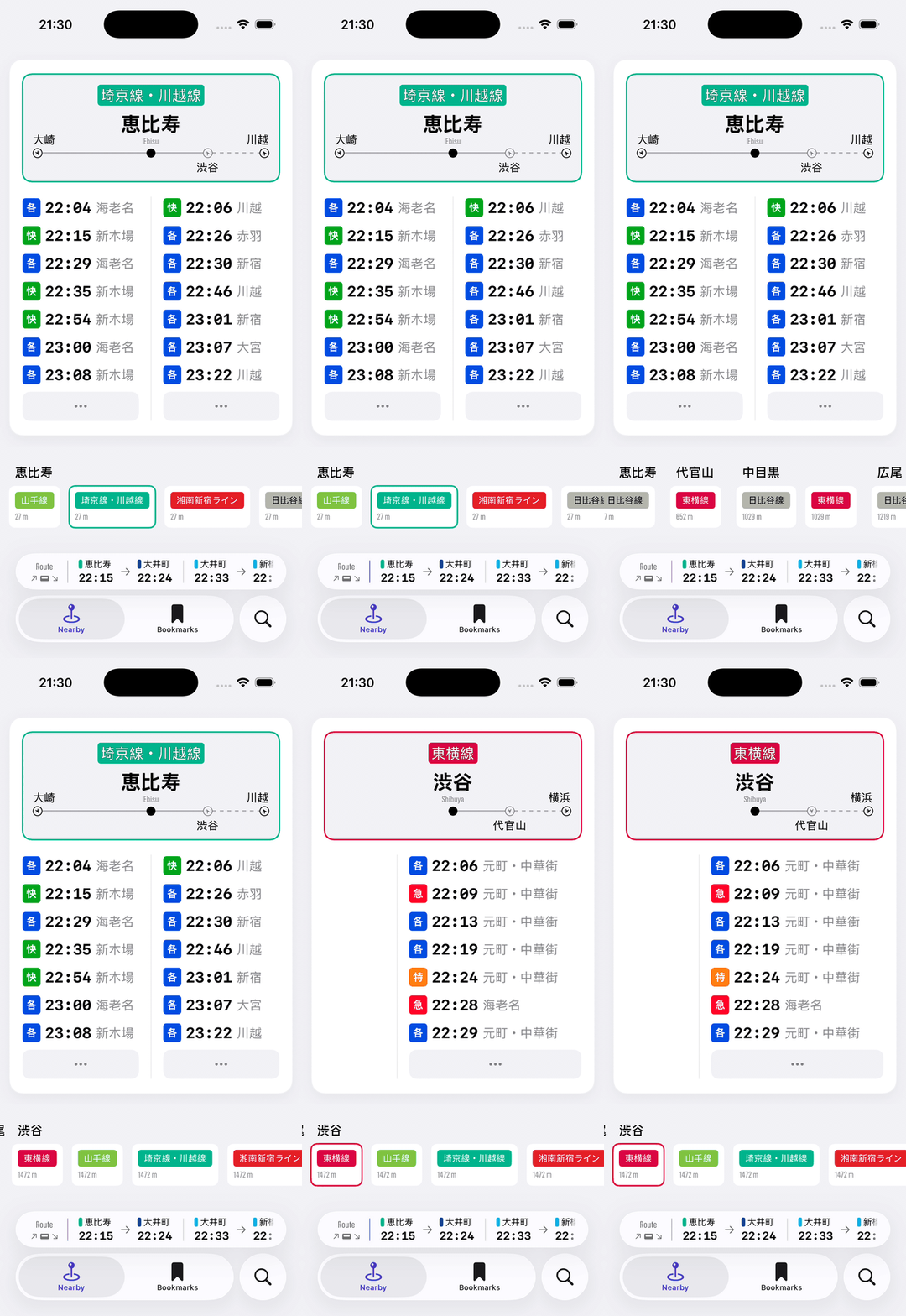
From here, it’s super easy to start a new DIY route by tapping your departure train time, then tapping the route icon of your arrival station.
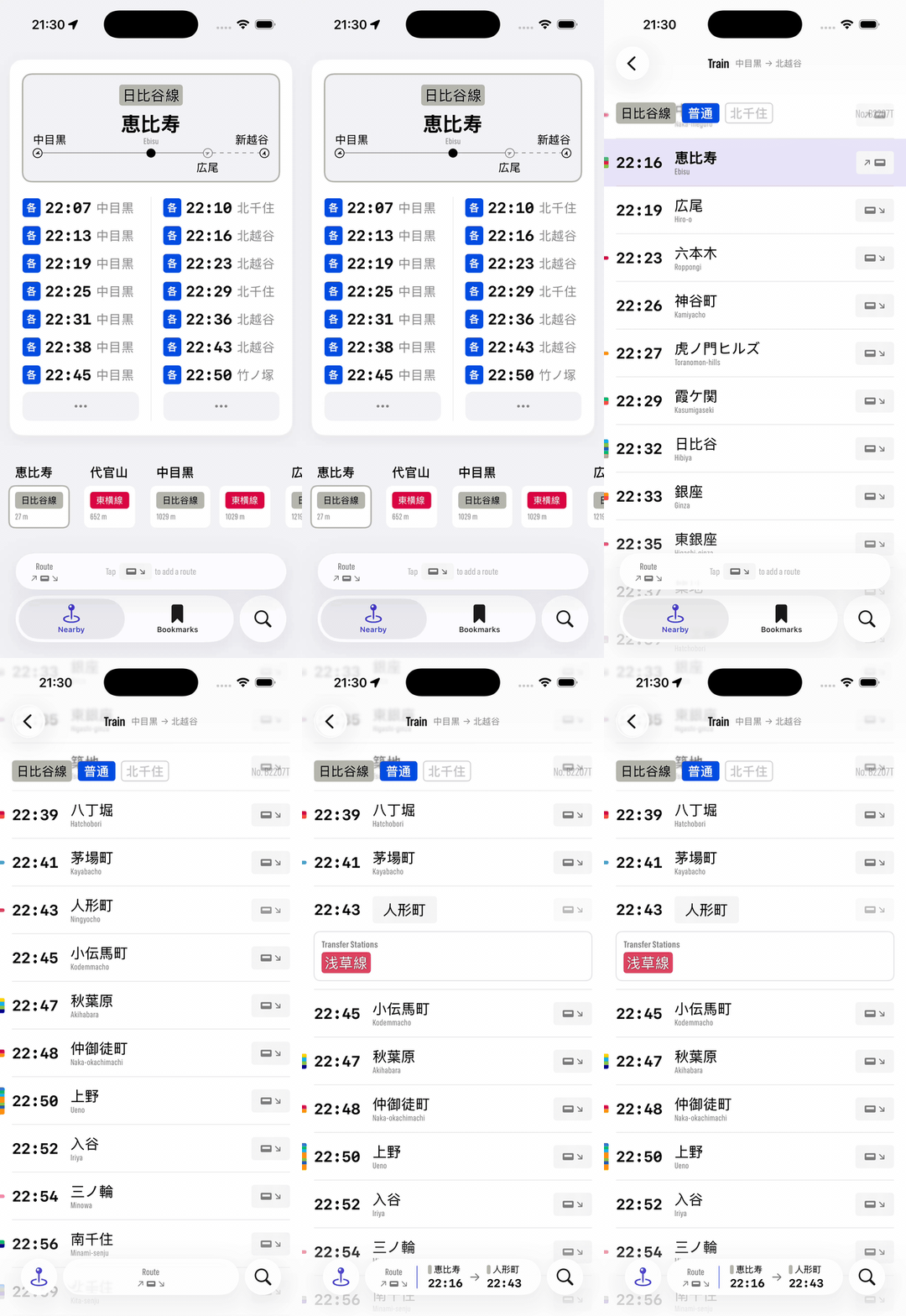
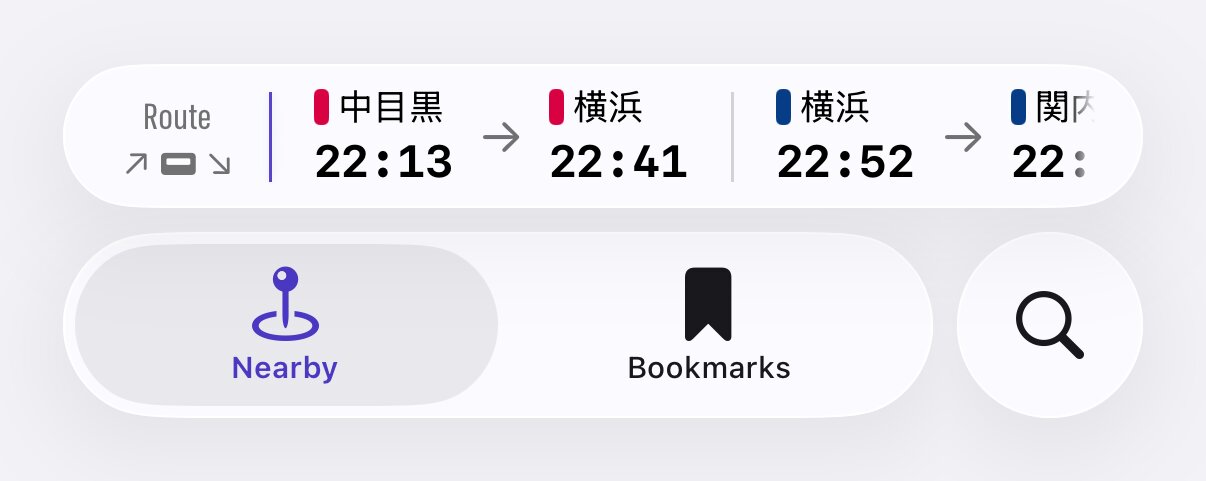
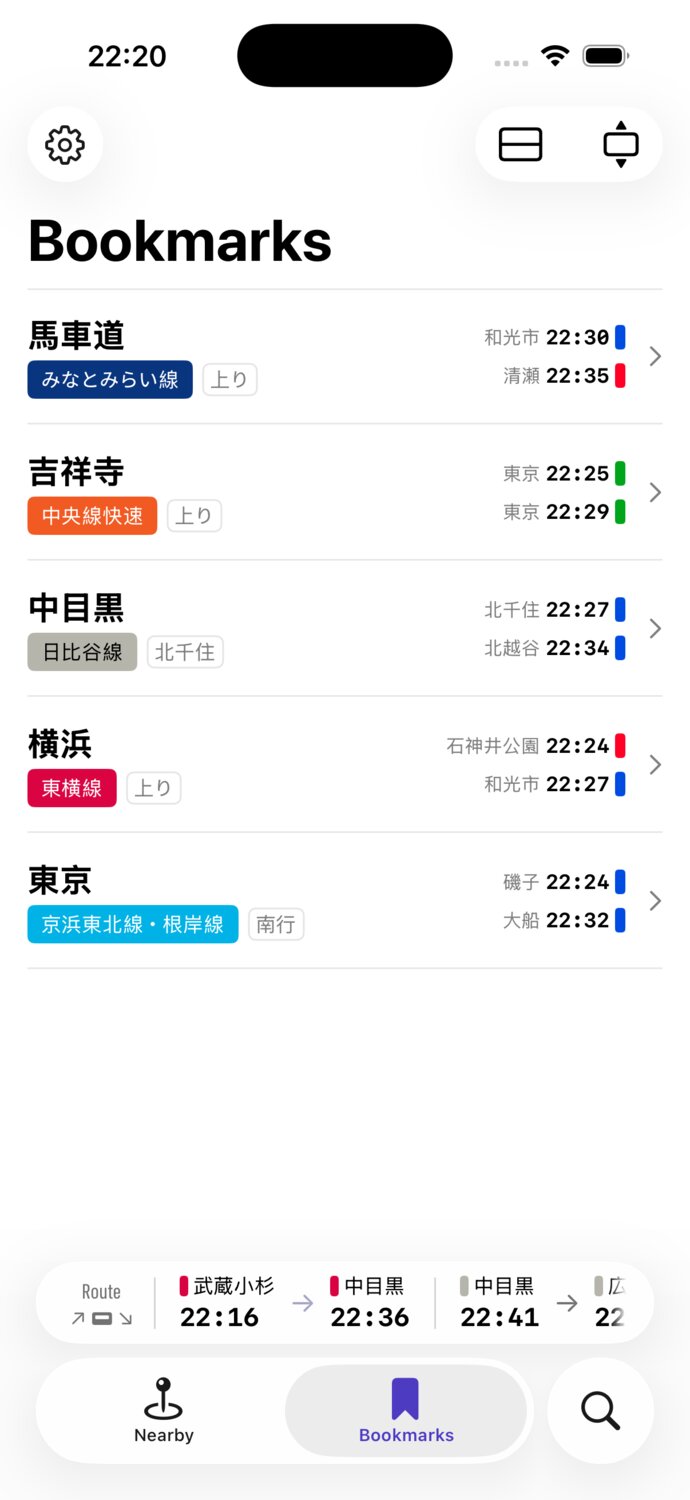
The route bar from v1.x has moved to the native tab bar accessory, which automatically expands and collapses.
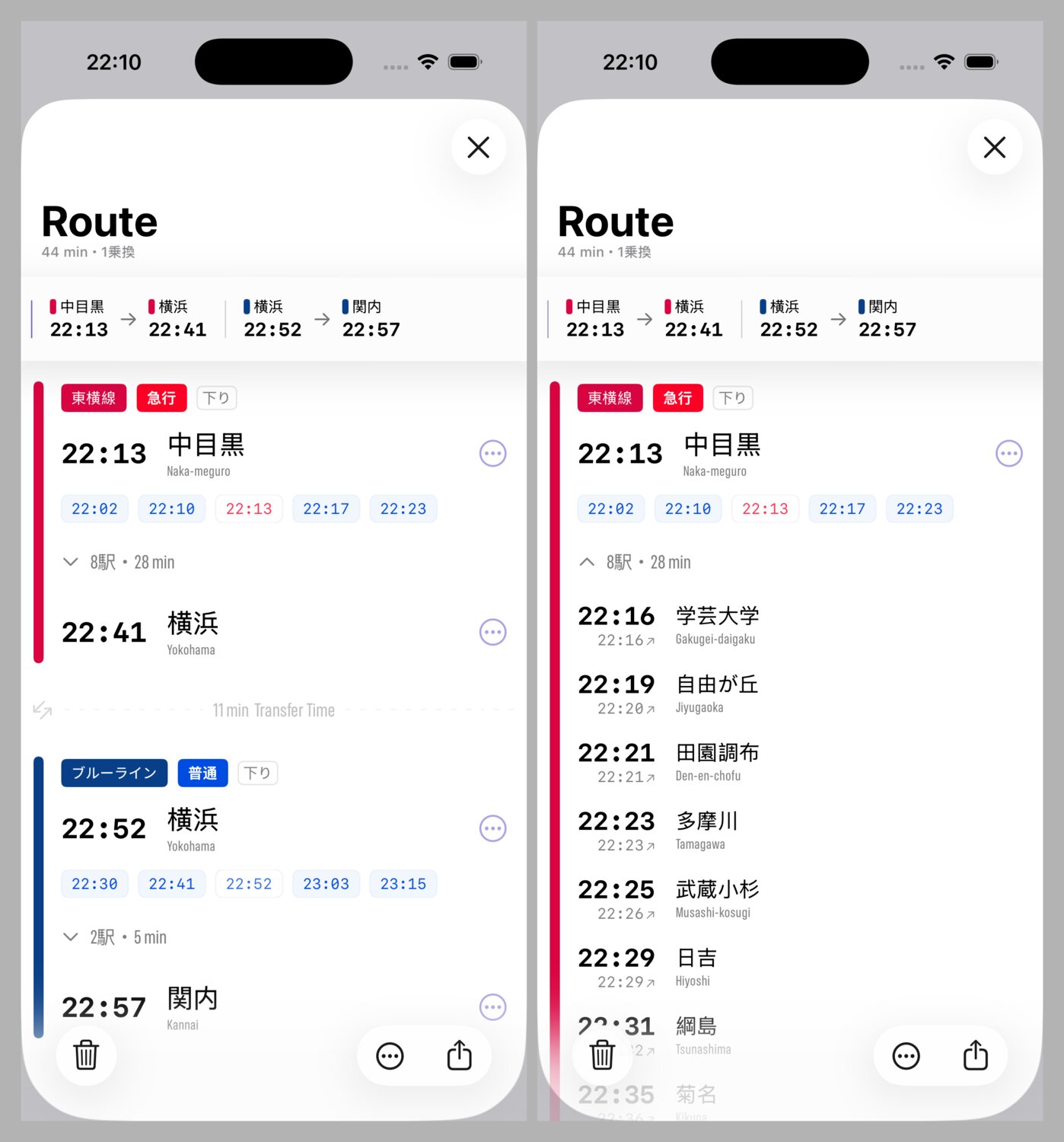
DIY routes now have a full screen view in Eki Bright 2.0. You can see the full route and transfers, and view all stops along your route.
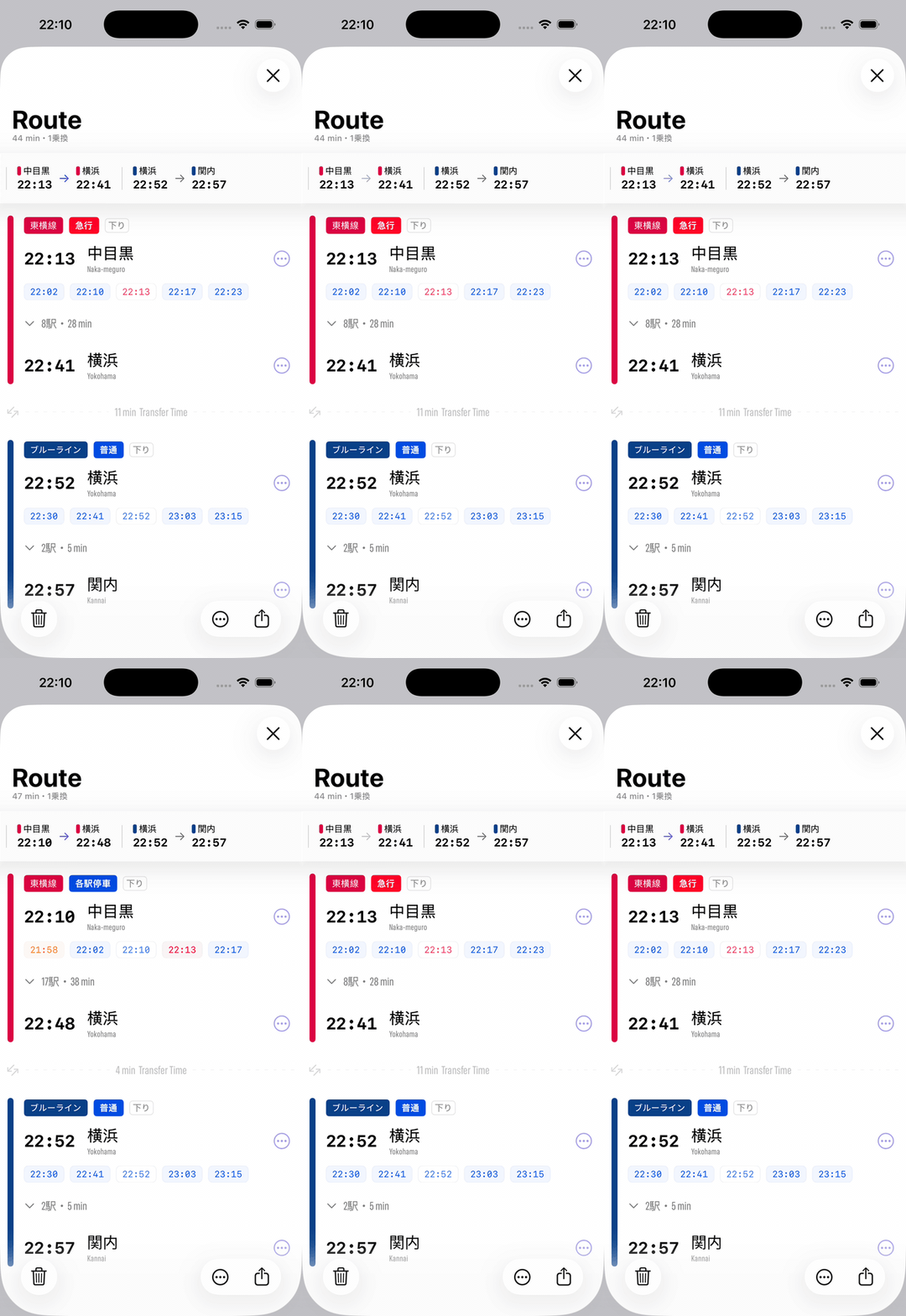
It’s easy to compare adjacent departure times. For example, to check whether the next departing local train will actually reach your destination after a later departing express train.
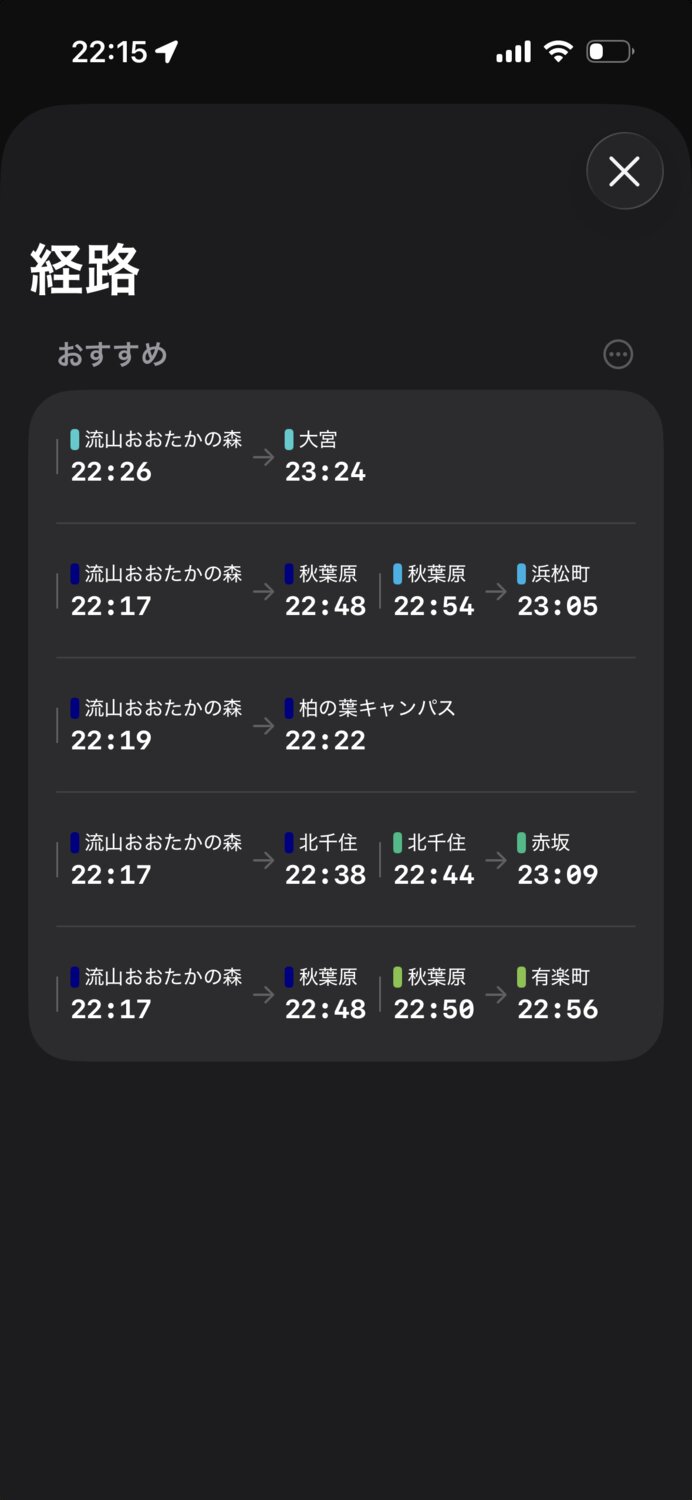
Eki Bright remembers your most used route patterns and suggests them on the route screen based on your current location. After a few trips, you don’t need to manually create DIY routes anymore.
The Live Activity now updates more reliably in the background throughout your trip.
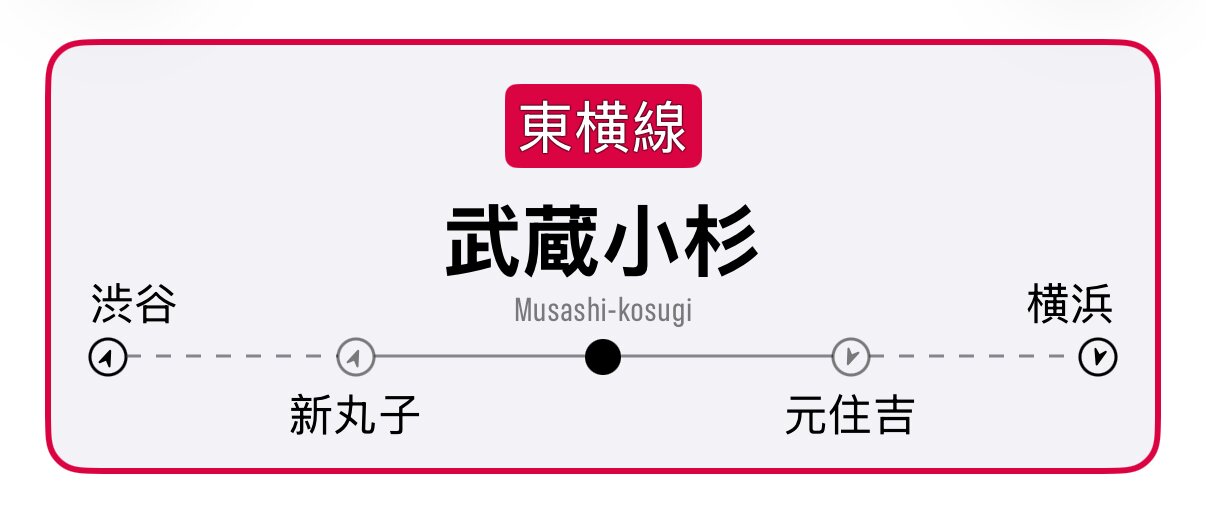
My personal favorite new addition to Eki Bright 2.0 is the station relative direction arrow indicators on the station detail screens. This makes it much easier to orient yourself with the correct direction of a railway at a glance.
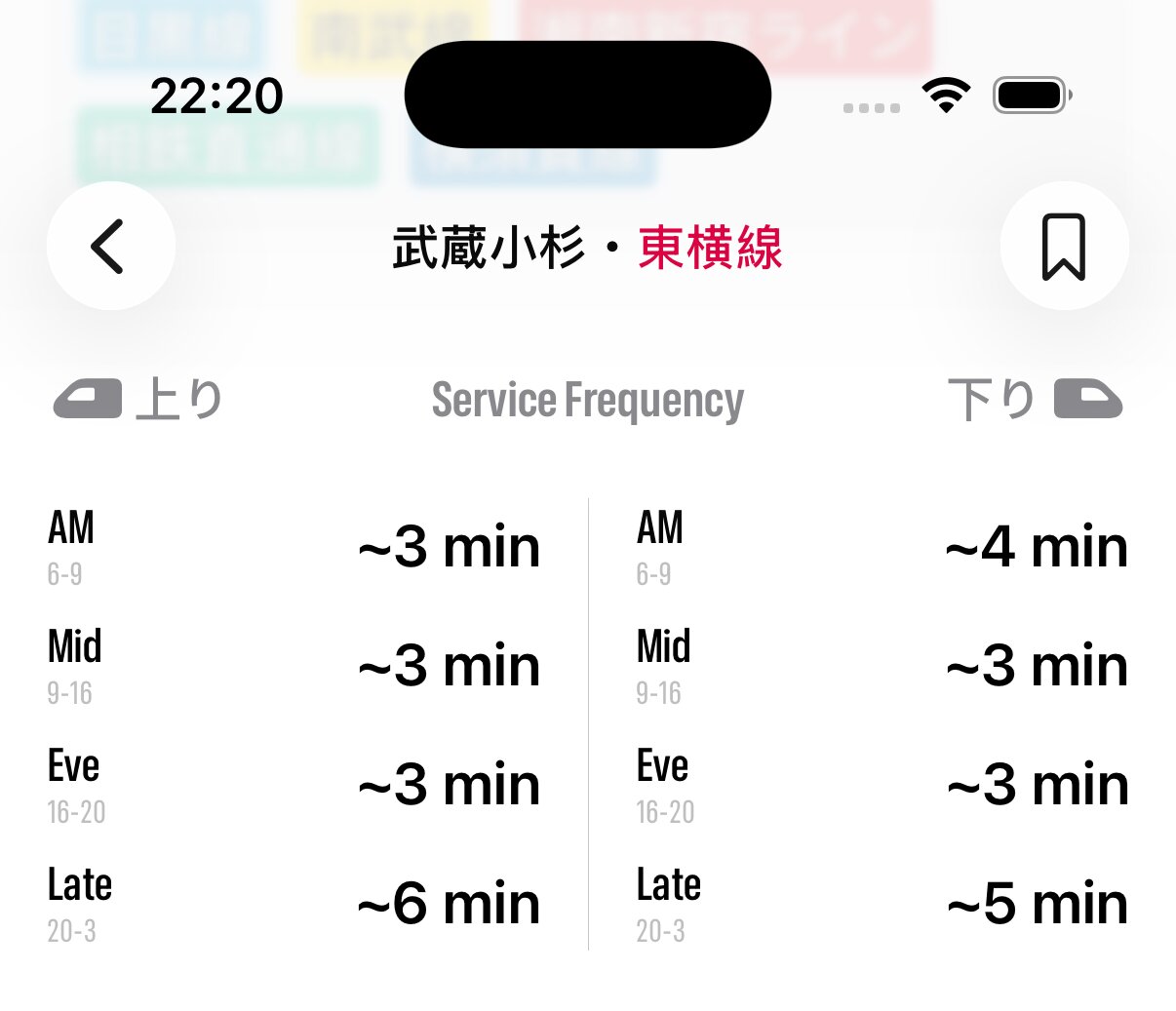
The station detail screen now shows train frequencies during different periods of the day.
The bookmarks and search screens have been separated out into their own tabs. I doubled down on native iOS 26 UI and UX (for better or worse).
In the search tab, you can now search railways.
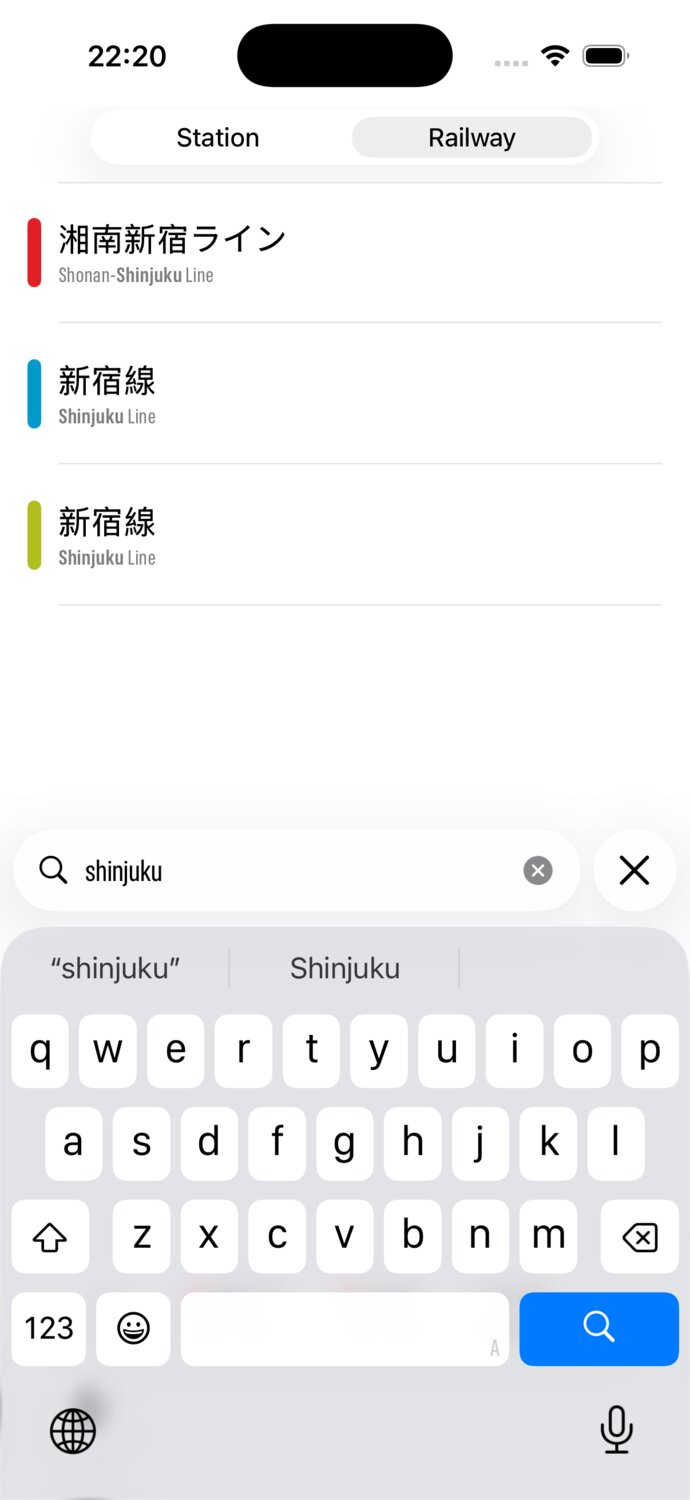
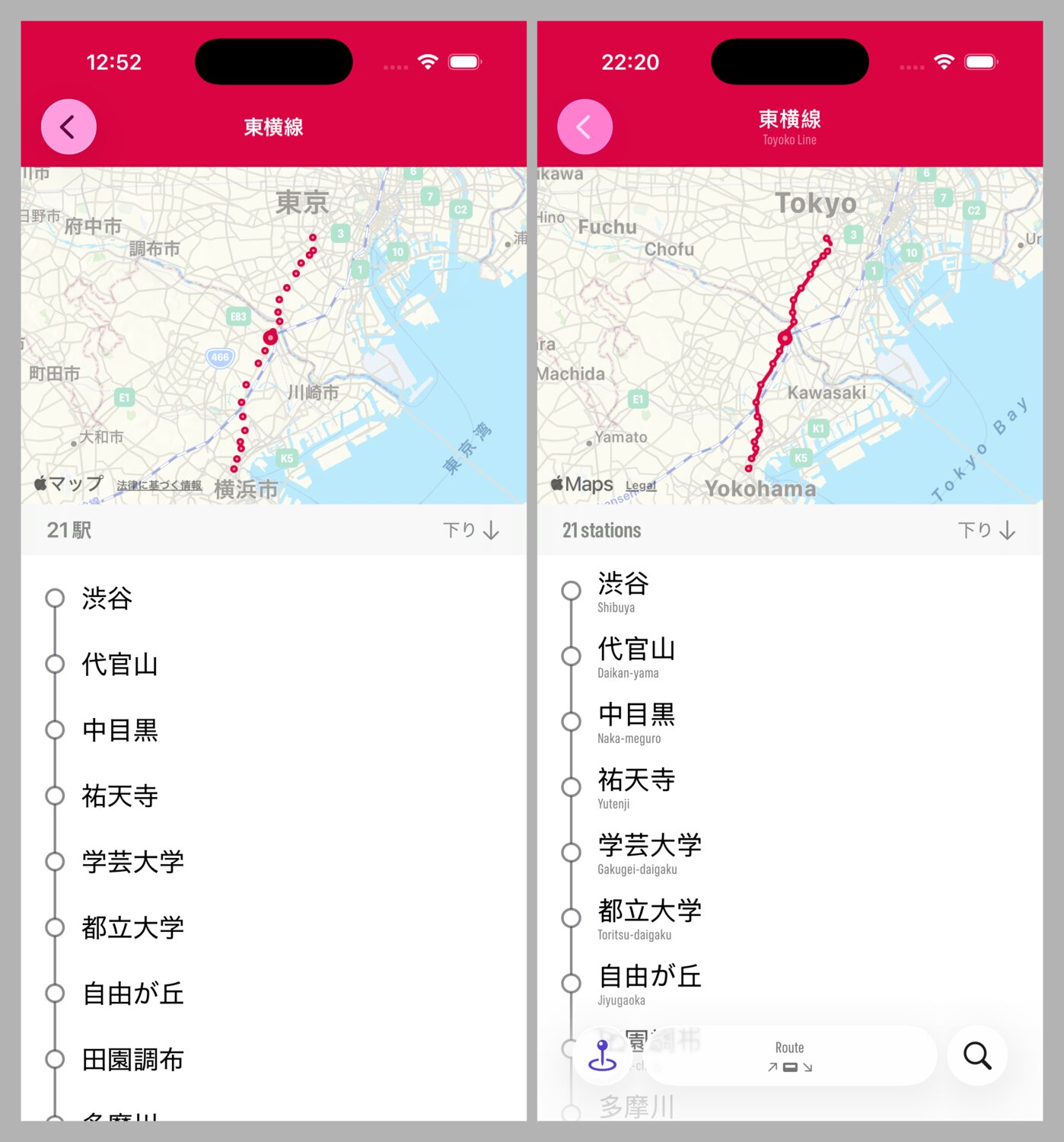
Speaking of railways, the railway detail screen shows the full polyline of the railway.
I think Eki Bright is the fastest and best way to get around Tokyo for everything but route planning. Local timetables give a serious edge to how fast you can find your next train.